Client Management Software for Accountancy Firms
Onboarding, AML, services, deadlines, portal access and the whole client record in one place.
Remindoo is practice management software for accountancy and bookkeeping firms. Its client module covers the whole client lifecycle: guided onboarding with Companies House import, AML risk assessment and digital ID verification, services with deadlines, one complete client profile, portal access, search and bulk actions.
Last updated: 16 September 2026 · Reviewed by Waqas Sagar ACA FCCA, Founder of Remindoo and Managing Director of Accotax
The client lifecycle in Remindoo
- 1. Onboard the client — One wizard, with company details and officers imported from Companies House.
- 2. Add services and deadlines — VAT, payroll, CT600 or SATR, each with dates, subtasks and reminders.
- 3. Assess AML risk — Complete the questionnaire and keep the risk record on the profile.
- 4. Verify identity — Send a digital check, review the session and download the record.
- 5. Record the handover — Capture the previous accountant's details for professional clearance.
- 6. Work from one profile — Details, contacts, services, AML, portal, e-signature and timeline.
- 7. Give portal access — Invite named portal users, track invitations and revoke access.
- 8. Find anyone fast — Global search, column control and saved multi-condition filters.
- 9. Act in bulk — Email, sync with Companies House, reassign or update many at once.
Client management for UK accountants and bookkeepers
Most UK practices do not have a client management problem so much as a client information problem. The company details are on Companies House, the AML risk assessment is in a Word template, the services and deadlines are in a spreadsheet that one person maintains, the correspondence is in an inbox and the signed documents are in a folder on a shared drive. Everything exists; nothing is in the same place.
That works until it is tested. A client rings with a question and three screens have to be opened before anyone can answer. A manager is asked which clients still have no verified ID and there is no way to find out without opening files one at a time. Someone leaves and their portfolio has to be reassigned record by record, in the middle of a filing season.
Remindoo's client module puts the client at the centre instead of the document. A client is taken on through one guided wizard that imports the company from Companies House, captures contacts and services, and completes the AML risk assessment in the same pass. Identity checks are sent digitally and the results are kept on the record. Services carry their own dates, subtasks and reminders. Portal users are invited, tracked and unlinked from the profile. And the client list itself — searchable, sortable, filterable, with compliance columns you can switch on — becomes the place the practice answers its own questions.
None of that replaces professional judgement. Your firm still decides whether to act for a client, what due diligence is proportionate and how to interpret what a verification check returns. What changes is that the evidence, the dates and the ownership are recorded as the work happens, rather than reconstructed when someone asks for them.
Every part of the client module
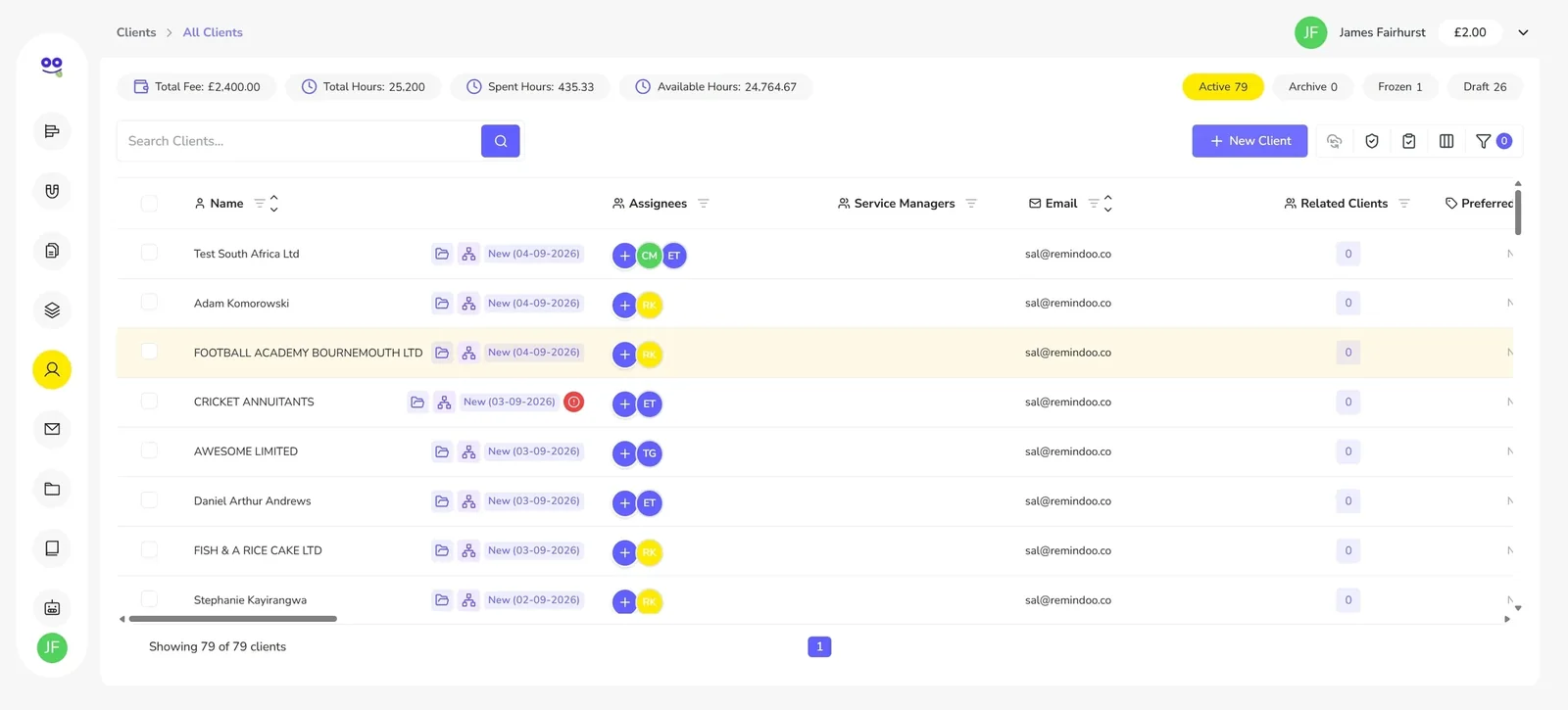
Client Onboarding Software for Accountants
A guided wizard that imports the company from Companies House and captures contacts, services and AML in one pass.
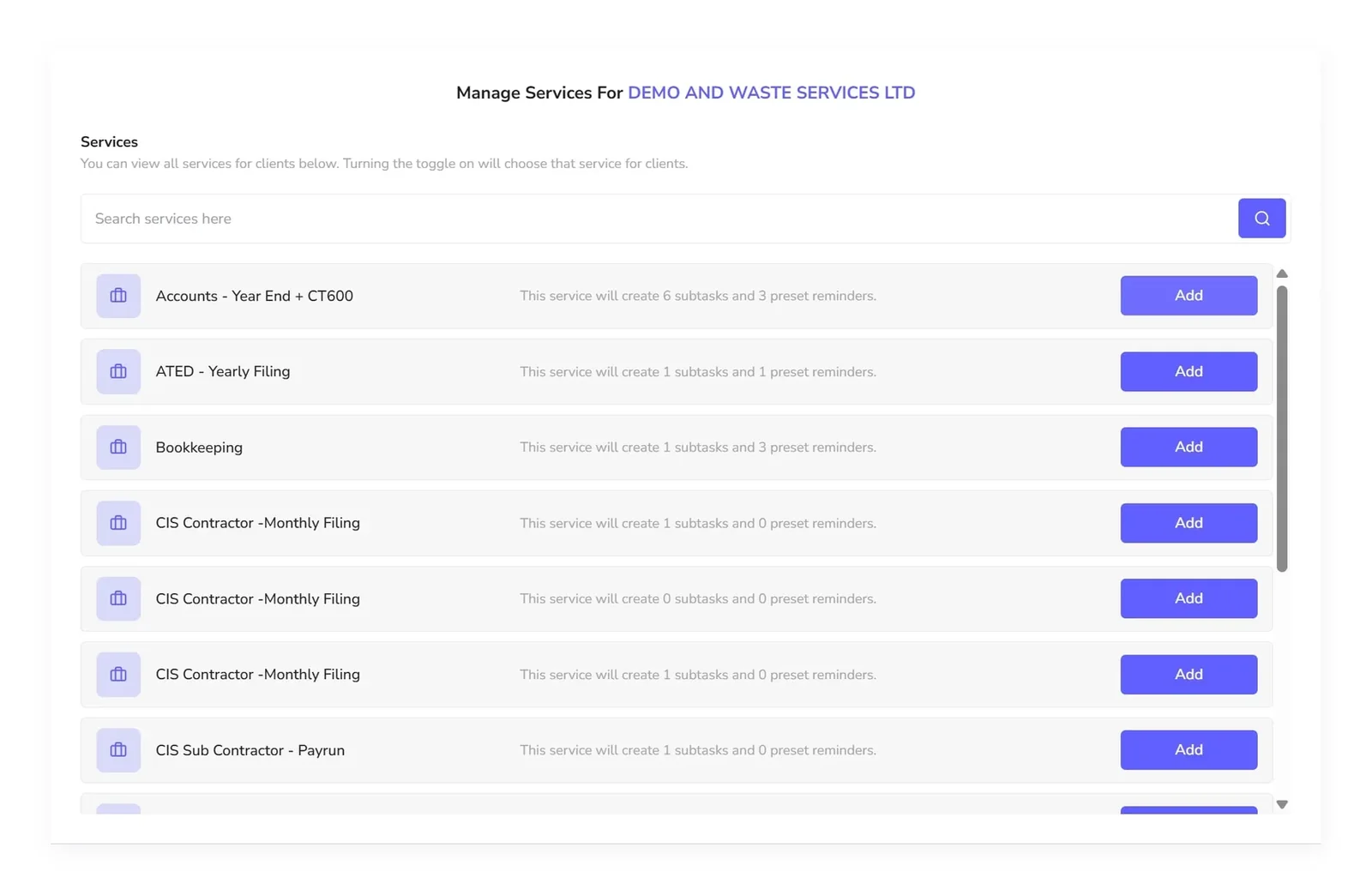
Client Services, Deadlines and Reminders
Attach VAT, payroll, CT600 or Self Assessment to a client and the dates, subtasks and reminders come with it.
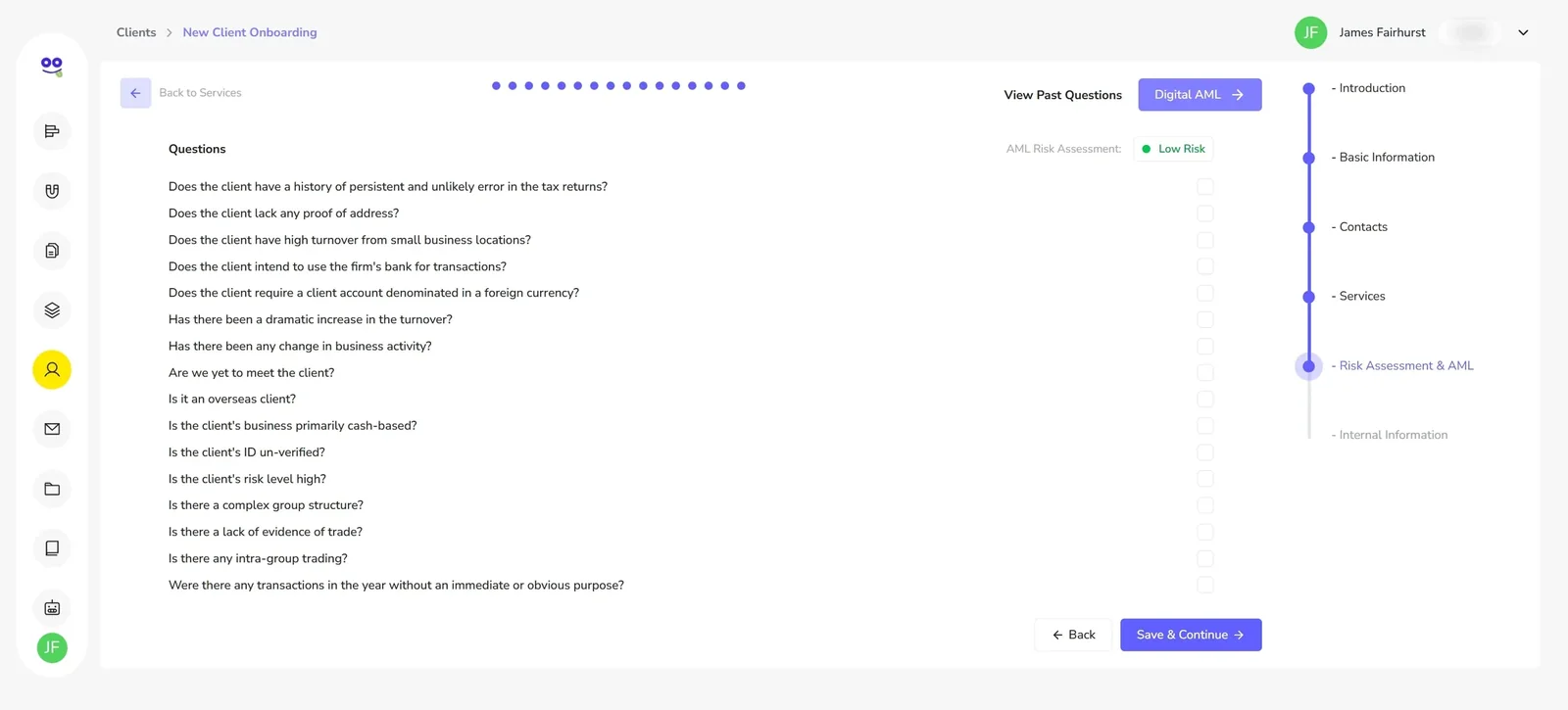
AML Risk Assessment Software for Accountants
A built-in questionnaire that classifies each client's risk level and keeps the record on their profile.
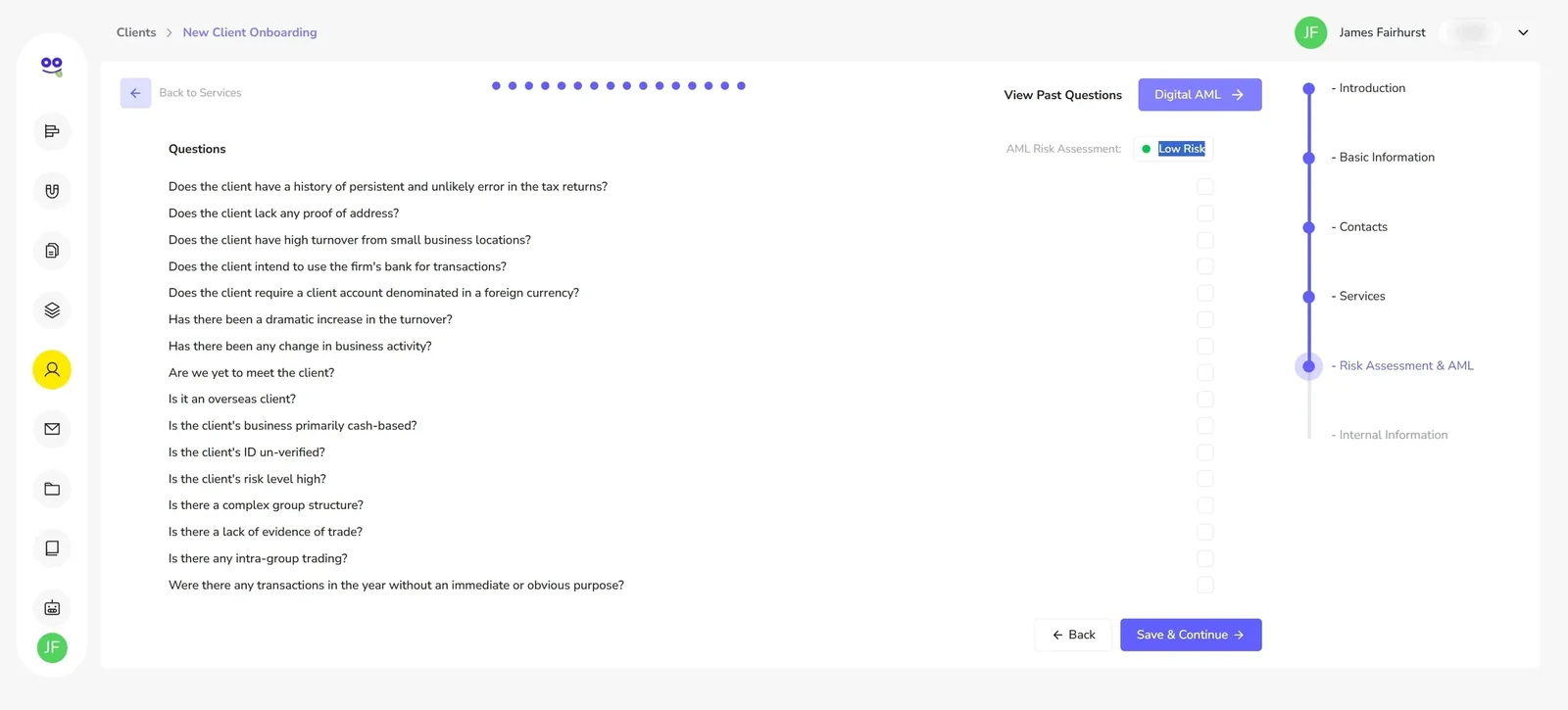
Digital ID Verification and AML Checks for Accountants
Send KYC, AML and proof of address requests, track every session and download the verified record.
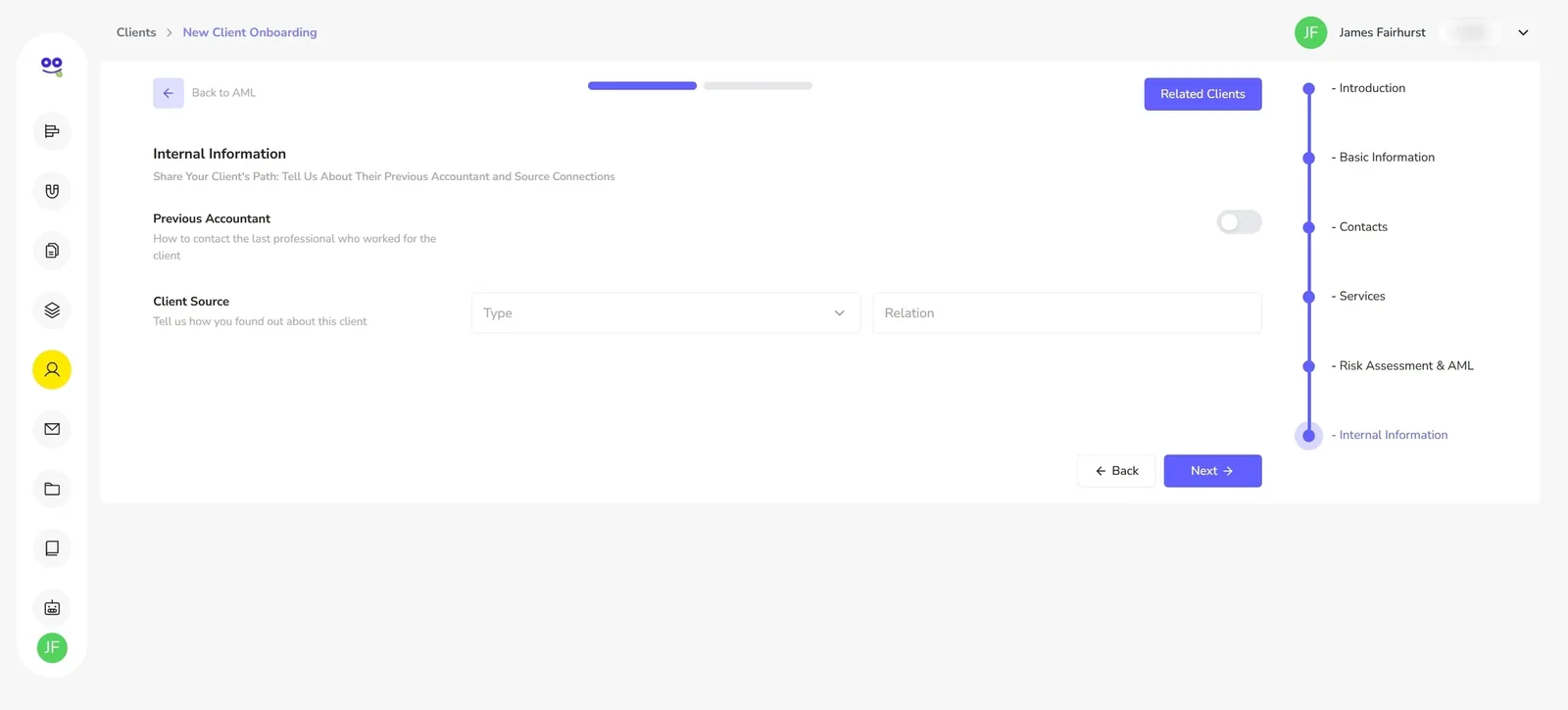
Professional Clearance and Previous Accountant Handover
Record the previous accountant's details at onboarding and keep the handover on the client record.
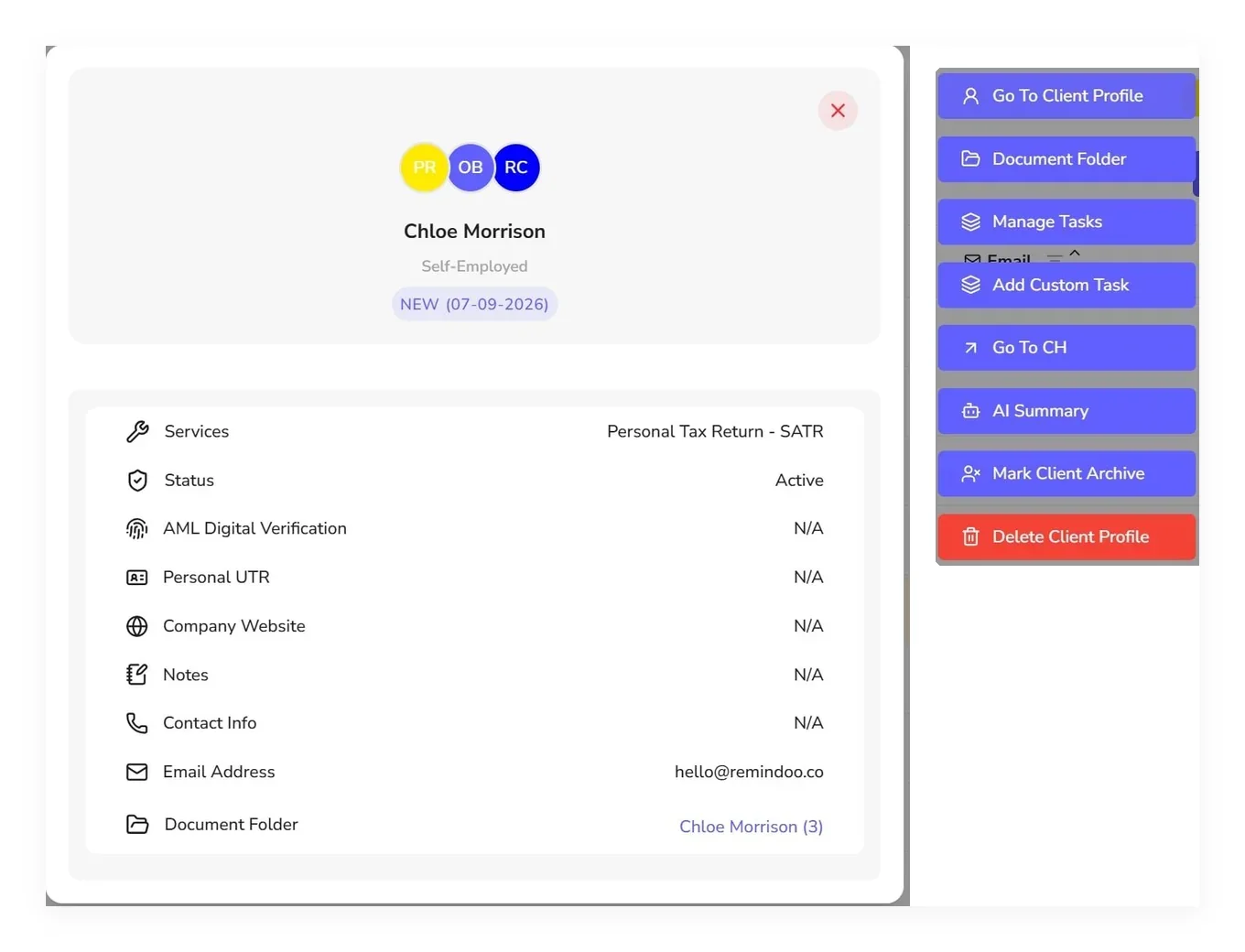
One Complete Client Profile for Your Practice
Everything about a client on one record — card, sections, quick actions and timeline.
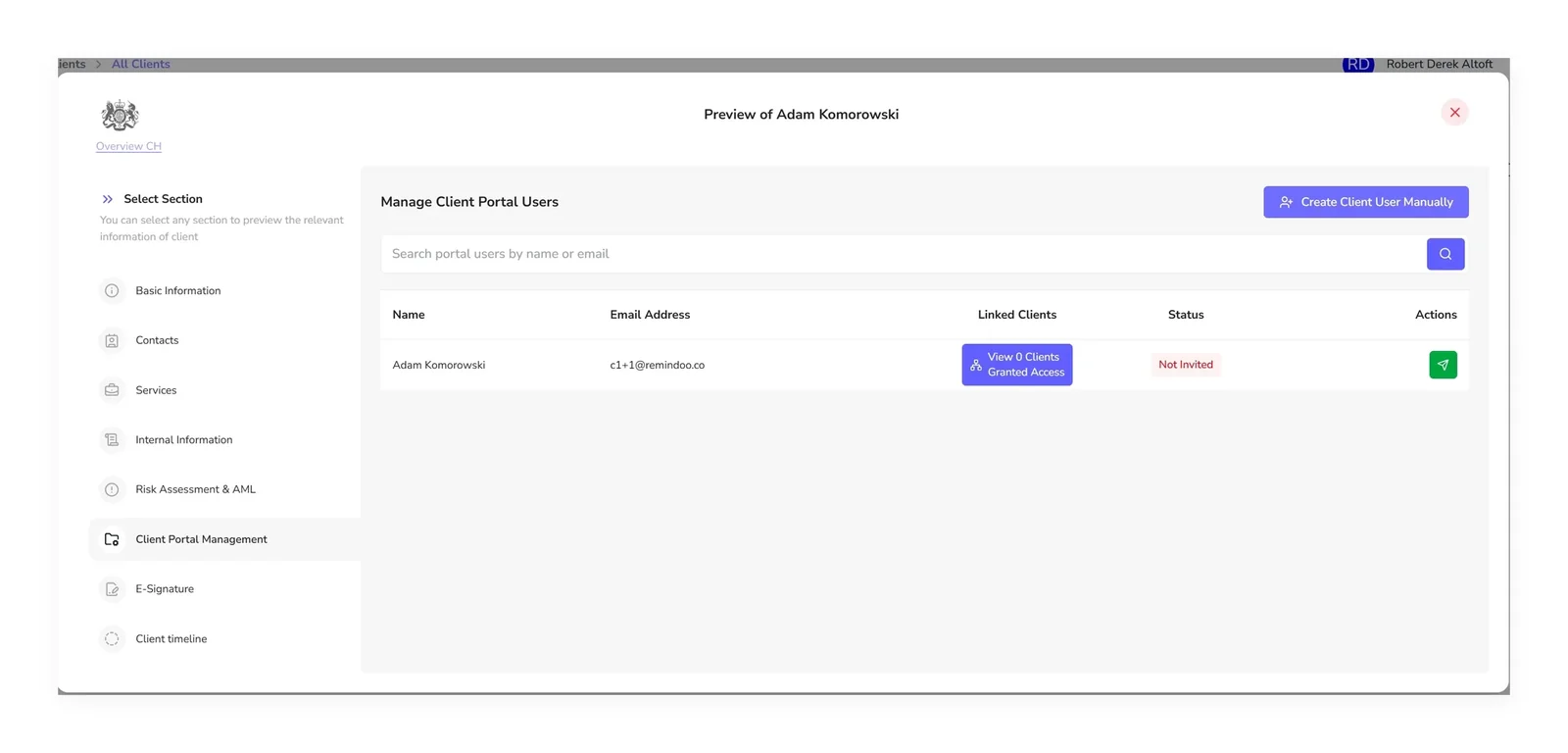
Client Portal Software for Accountancy Firms
Create portal users, invite them by email, track the status and unlink access when it should end.
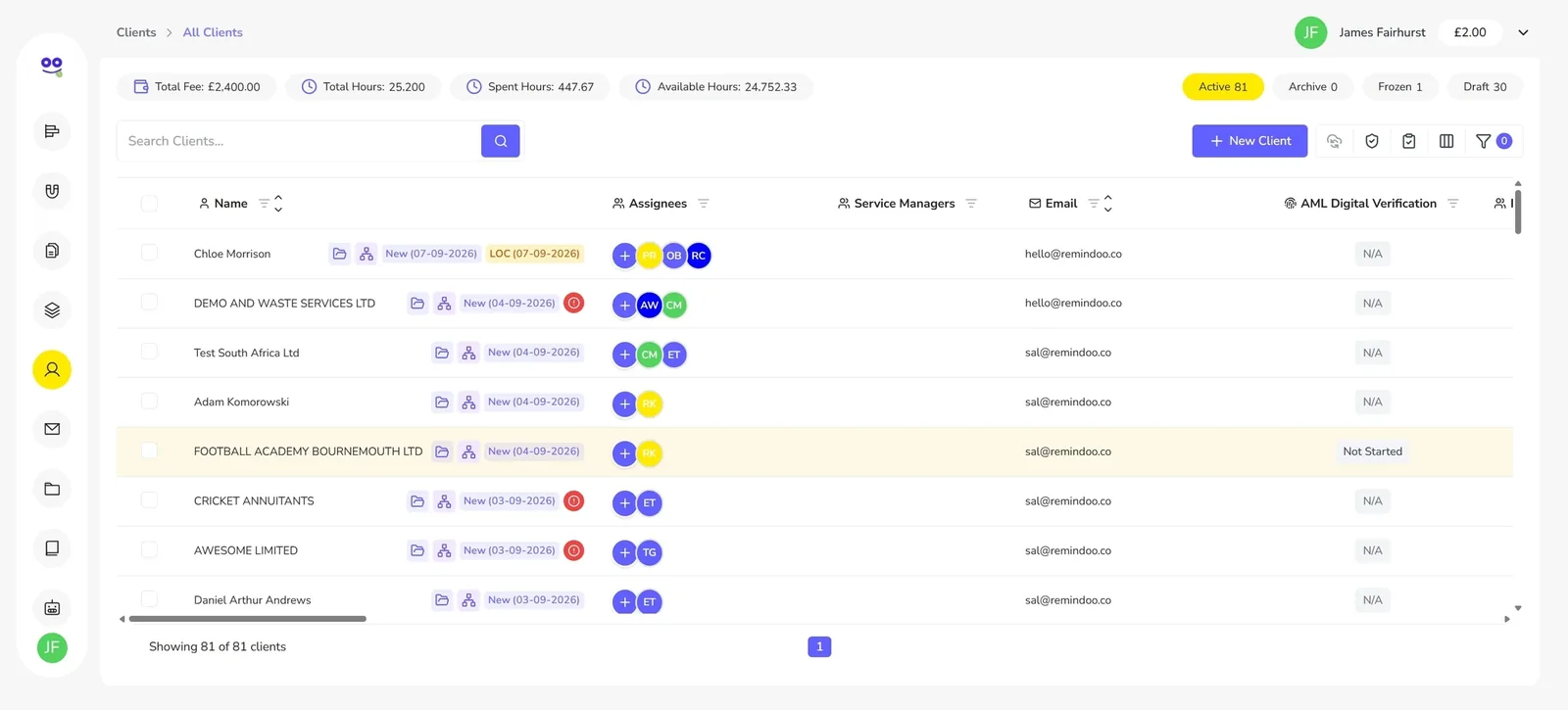
Find Any Client in Seconds
Global search, sortable and freezable columns, compliance fields and saved multi-condition filters.
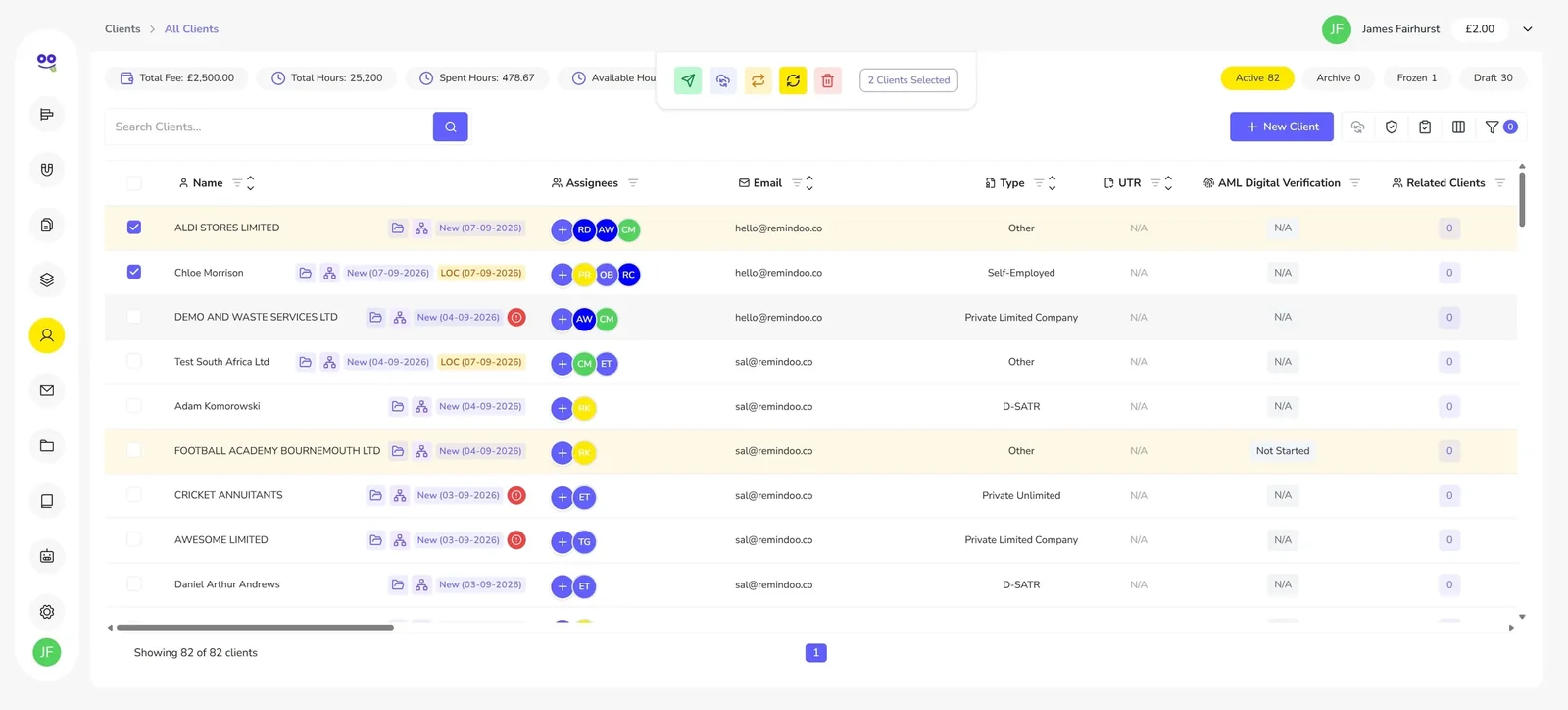
Bulk Client Actions for Busy Practices
Select clients and email, sync with Companies House, reassign, update status or delete in one go.
What each feature does
| Feature | What it does | Read more |
|---|---|---|
| Client Onboarding Software for Accountants | Guided Client Creation wizard with Companies House import, contacts, services and AML in one flow | client onboarding software for accountants |
| Client Services, Deadlines and Reminders | Adds services to a client with key dates, subtasks, reminders and an owner | accounting deadline tracking software |
| AML Risk Assessment Software for Accountants | Client AML risk questionnaire, risk level and a record kept on the client profile | AML risk assessment for accountants |
| Digital ID Verification and AML Checks for Accountants | Digital AML verification sessions with ID, liveness and face match checks, and a downloadable record | digital ID verification for accountants |
| Professional Clearance and Previous Accountant Handover | Records the previous accountant's firm and contact details on the client record | professional clearance accountants |
| One Complete Client Profile for Your Practice | A single client record with details, contacts, services, AML, portal users, e-signature and timeline | client record management for accountants |
| Client Portal Software for Accountancy Firms | Creates, invites and removes client portal users from the client profile | client portal for accountants |
| Find Any Client in Seconds | Search, sort, column control and saved filters across the whole client list | client database software for accountants |
| Bulk Client Actions for Busy Practices | Bulk email, Companies House sync, reassignment, status updates and deletion across selected clients | bulk email clients accountants |
How a practice runs a client from first call to filing
Onboard the client
One wizard, with company details and officers imported from Companies House.
Add services and deadlines
VAT, payroll, CT600 or SATR, each with dates, subtasks and reminders.
The same client record then drives the day-to-day workload. Services create the jobs, and those jobs are run through task management for UK accountants, with owners, recurring cycles, subtasks and time tracking. Pricing is per client with unlimited users, so adding the whole team costs nothing extra — see Remindoo pricing.
Why firms move client data into Remindoo
- Company details and officers imported from Companies House instead of retyped
- AML risk assessment and verification records kept on the client profile
- Services carrying their own key dates, subtasks and preset reminders
- One profile with contacts, internal notes, portal users, e-signature and timeline
- Compliance columns and saved filters to answer questions across the client base
- Bulk email, Companies House sync and reassignment for practice-wide changes
Frequently asked questions
What is client management software for accountants?
It is software that holds everything a practice knows about a client in one record: entity details, contacts, the services engaged, deadlines, AML risk and verification, portal access and history. Remindoo does that for UK accountancy and bookkeeping firms, so the client — not a folder or an inbox — is the unit of work.
Can I import client details from Companies House?
Yes. During onboarding you search Companies House for the client's company and the registered details are imported, along with the officers you choose to add as contacts. Company clients also get key service dates pre-filled, and you can re-sync selected clients in bulk later.
Does Remindoo handle AML?
Remindoo includes a client AML risk assessment questionnaire that produces a risk level, and digital identity verification with ID, liveness and face match checks, plus a downloadable record. It helps your firm carry out and evidence client due diligence; it does not make your firm compliant or replace professional judgement.
Can clients access their own portal?
Yes. From Client Portal Management on the profile you create portal users, invite them by email, see the invitation status, resend invitations and unlink a user to remove access immediately. The E-Signature section holds client portal documents.
How do I track client deadlines?
Add the services you provide to each client. Every service brings its own key dates, subtasks and preset reminders, with an assigned team or employee. For company clients the key dates are pre-filled from Companies House, and the services table shows what is pending.
Can I reassign clients when someone leaves?
Yes. Select the affected clients on the client list and use bulk reassignment to change partners, service managers or assignees across the whole selection, rather than editing each profile. Client status can be updated in bulk in the same way.
What happens when a client leaves the firm?
Mark the client as archived rather than deleting them. Archiving moves them out of the active list while keeping the historical data, which matters when you need the record later. Deletion is available but should be treated as permanent.
How does this work with tasks?
Client services generate the work, and that work behaves like any other task in Remindoo, with owners, deadlines, subtasks and time tracking. You can also raise a task directly from the client card. See the task management module for how the day-to-day workload is run.
Try Remindoo free for 60 days
Import your clients, automate your deadlines and see the difference before you pay anything.